---
title: "Add a Cookie Consent Banner to Joomla - Code Snippets"
description: "Ask visitors for cookie consent with a bar at the foot of your Joomla site, remember the answer and load analytics only after a yes, using one HTML snippet."
url: "https://www.tassos.gr/docs/code-snippets/howto/user-experience/cookie-consent-banner"
date: "2026-10-23T02:06:25+00:00"
language: "en-GB"
---
[ Home ](https://www.tassos.gr/docs) / [ Code Snippets ](https://www.tassos.gr/docs/code-snippets) / [ How-to Guides ](https://www.tassos.gr/docs/code-snippets/howto) / [ User Experience ](https://www.tassos.gr/docs/code-snippets/howto/user-experience)
# Add a Cookie Consent Banner to Joomla
## Ask visitors for cookie consent with a bar at the foot of your Joomla site, remember the answer and load analytics only after a yes, using one HTML snippet.
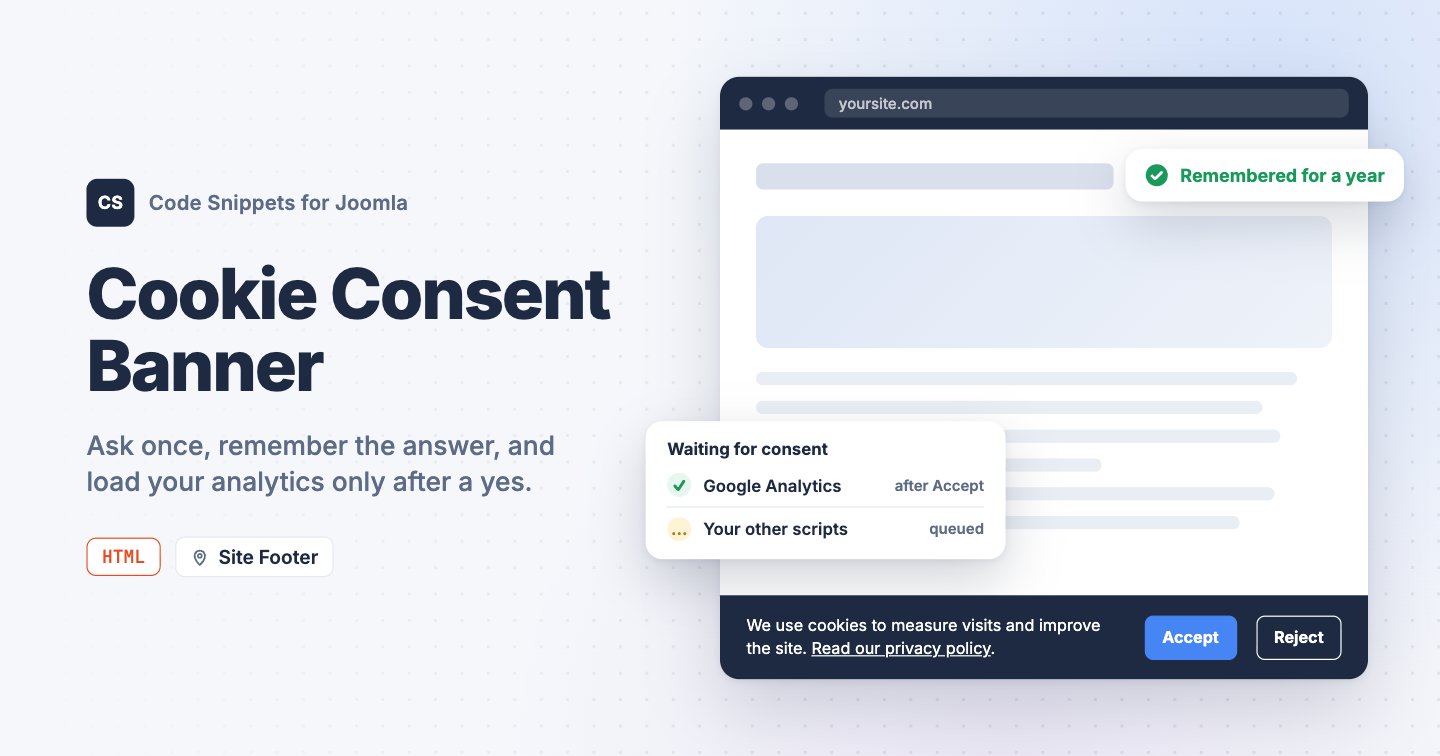Analytics, pixels and chat widgets set cookies the moment a page loads. If your visitors are in the EU, the UK or anywhere else with a consent law, you have to ask them first, and Joomla has no cookie banner of its own. You can add a consent bar that remembers each visitor's choice, and make your tracking scripts wait for it, with one HTML snippet in Code Snippets.
## [The snippet code](#the-snippet-code)
The snippet shows a bar at the bottom of the page with an Accept and a Reject button. The choice is stored in a cookie named `tcs_cookie_consent` for a year, so the bar shows once. When the visitor accepts, the snippet runs any script that is waiting for consent (the next section shows how), tells Google's Consent Mode that storage is allowed, and fires a `tcs-cookie-consent` event on the document for your own code.
```
```
Change the text and the privacy policy link in the HTML. The three variables at the top of the style block set the colors. `days` in the script sets how long the choice is remembered.
The bar slides in from the bottom. Visitors who turned on reduced motion in their operating system see it appear without the animation.
To let visitors change their mind later, add a link with the class `tcs-cookie-open` anywhere on the site, for example a "Cookie settings" item in your footer menu with that class in its **Link Class** field. Clicking it brings the bar back.
## [How to add this snippet](#how-to-add-this-snippet)
1. Install [Code Snippets](https://www.tassos.gr/docs/code-snippets/getting-started/how-to-install) if it isn't installed already.
2. Log into your Joomla backend.
3. Go to **Components** → **Tassos Code Snippets**.
4. Click **New**.
5. Enter a title, for example *Cookie banner*.
6. Set **Code Type** to **HTML**.
7. Set **Insertion Method** to **Auto-Insert Locations**.
8. Set **Location** to **Site Footer**.
9. Paste the code above into the editor.
10. Click **Save & Close**.
## [Load Google Analytics only after consent](#load-google-analytics-only-after-consent)
A banner on its own changes nothing: the tracking code in your other snippets still runs on page load. To make it wait, wrap it in a function and hand that function to `tcsConsent.push()`. The banner runs it the moment the visitor clicks Accept, and right away on later visits when the choice is already stored. If the visitor clicks Reject, the function never runs.
This is the [Google Analytics snippet](https://www.tassos.gr/docs/code-snippets/howto/analytics-tracking/google-analytics) rewritten that way. Replace the code of your Google Analytics snippet with it, and keep it in the Site Header location. The order of the two snippets doesn't matter: a function pushed before the banner loads waits in a queue.
```
```
Replace both `G-XXXXXXXXXX` placeholders with your Measurement ID. Other tracking snippets can wait the same way: move their code inside the function.
## [Check that it works](#check-that-it-works)
1. Open your site in a private browser window. The bar is at the bottom of the page.
2. Click **Accept**, then reload the page.
The bar is gone, and it stays gone on every page. In the browser's developer tools, the Application tab (Storage in Firefox) lists a `tcs_cookie_consent` cookie with the value `granted`. With the Google Analytics snippet from the section above, the Network tab shows the request to `googletagmanager.com` only after you click Accept, and on every page load after that. Click **Reject** in a fresh private window instead, and the request never appears.
This is a simple yes or no bar. It doesn't let visitors pick cookie categories, and it keeps no record of who consented. If your lawyers ask for either, use a dedicated consent extension.
For a banner with cookie categories and a consent log, see our picks in [Best Cookie Consent Banner Extensions for Joomla](https://www.tassos.gr/blog/best-picks/cookie-consent-joomla). To add the tracking code the bar waits for, see [Add Google Analytics to Joomla](https://www.tassos.gr/docs/code-snippets/howto/analytics-tracking/google-analytics). To learn more about how HTML snippets work, read the [HTML snippet docs](https://www.tassos.gr/docs/code-snippets/types/html).
Last updated on Oct 17th 2026 13:10