

Community Builder Integration
MailChimp Auto-Subscribe can work with Community Builder and its Subscriptions plugin to keep your MailChimp audience in sync with your users.
When a subscription is activated, renewed, or updated, the user can be synced to MailChimp.
When a subscription expires or is canceled, the user can be automatically unsubscribed (optional).
Install the Community Builder Integration Plugin
Before we start, make sure MailChimp Auto-Subscribe and Community Builder are already installed on your site.
- Download the integration ZIP file from here.
-
Log in to your Joomla! back-end
-
Navigate to Components → Community Builder → Plugin Management
-
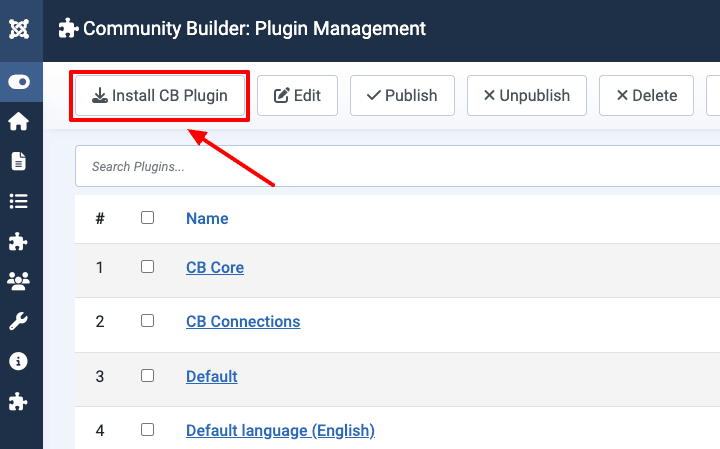
Click on "Install CB Plugin".
-
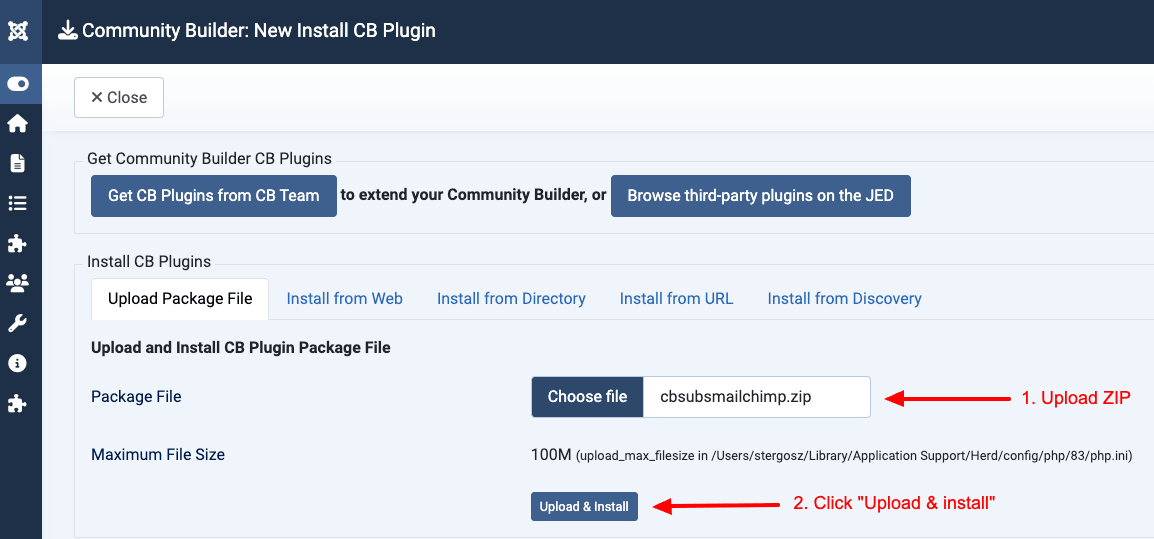
Upload the ZIP file you downloaded
-
Click on "Upload & install".
-
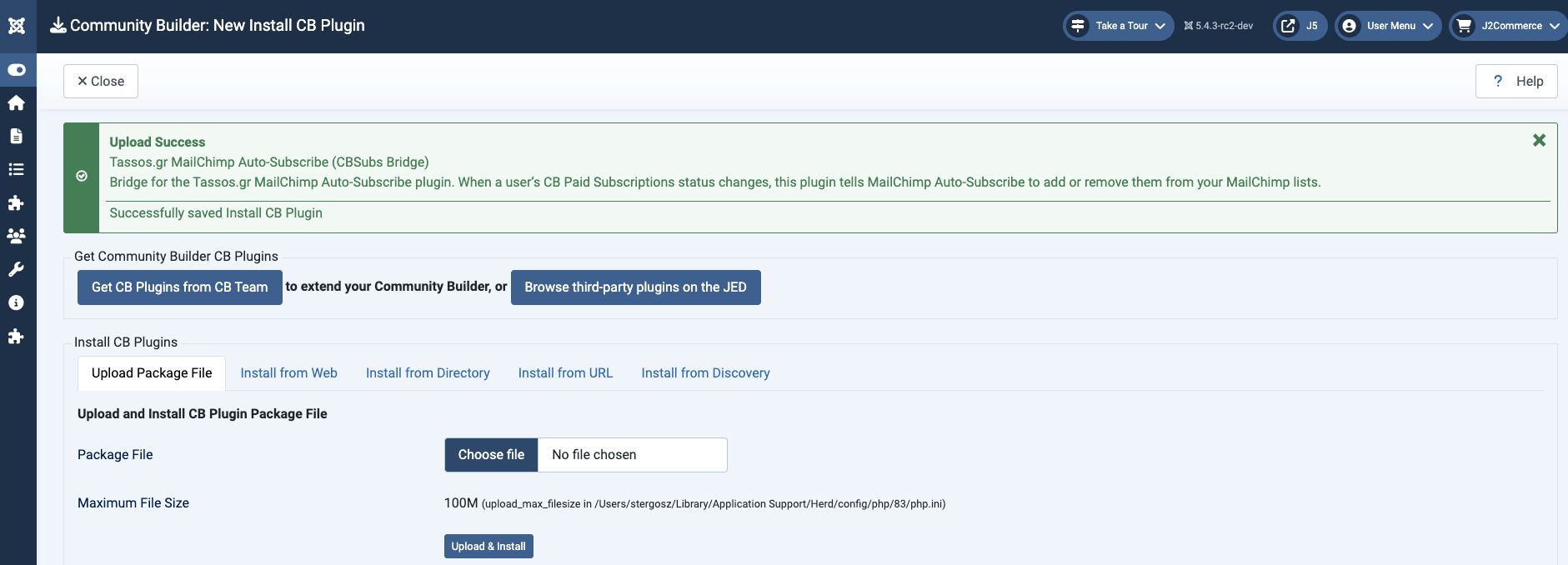
The MailChimp Auto-Subscribe Community Builder integration is now installed.
Configure MailChimp Auto-Subscribe
- Go to System → Manage → Plugins.
- Search for
User - MailChimp Auto-Subscribeand click to edit it. -
Open the Integrations tab
-
Enable the
Unsubscribe user when subscription expires or is cancelledtoggle.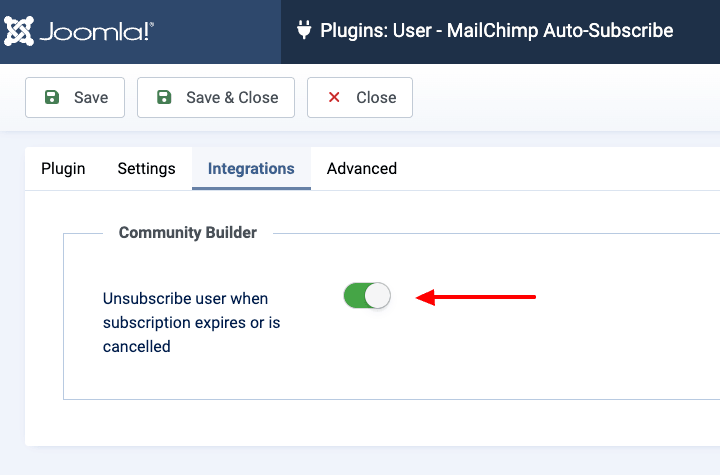
- Click Save.



 Rated: