

-
- How to Add a User to a Joomla Group Programmatically
- How to Send Emails in Joomla with PHP
- How to Connect to an External Database in Joomla with PHP
- How to Check If the Current User is Super User in Joomla with PHP
- How to Check if the Current Page Is the Homepage in Joomla with PHP
- How to Create a User Account in Joomla with PHP
- How to Create an Article in Joomla with PHP
- PHP Scripts Collection
Install an extension
Download a Tassos extension and install it on Joomla 4, 5 or 6 with the extension installer that comes with Joomla.
You install every Tassos extension the same way, with the extension installer that comes with Joomla. These steps are for Joomla 4, 5 and 6. If your site still runs Joomla 3, follow Install an extension on Joomla 3 instead.
To update or remove an extension you already have, see Update a Tassos extension and Uninstall a Tassos extension.
Requirements
Before installing, ensure your server meets the following requirements:
- An up-to-date version of Joomla 4.0.0 or higher
- PHP 7.4.0 or higher (8.4 recommended)
- The PHP mbstring extension enabled
- MySQL 5 or higher
Download the extension
- Log into your account on tassos.gr.
- Go to your Downloads page.
- Download the zip file of the extension.
Install the extension
- Log into your Joomla backend.
- Go to System → Install → Extensions.
- Click the Upload Package File tab.
Drag the zip file you downloaded onto the upload area.
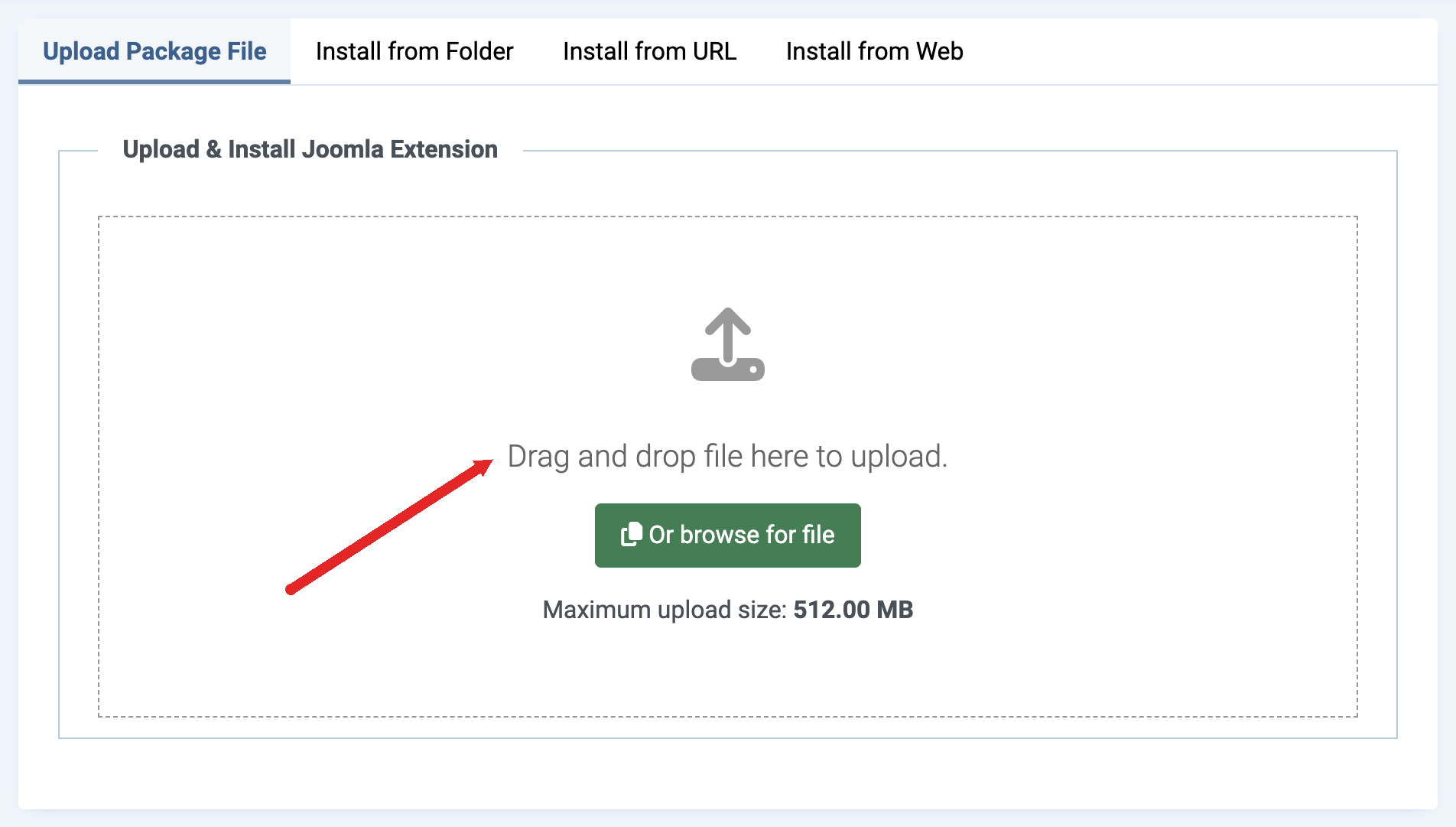
Joomla installs the extension and shows a success message.
Already using the Free version?
Install the Pro version over it with the same steps. You don't need to uninstall Free first, and your content and settings stay. Upgrade from Free to Pro version has the details.
Last updated on Nov 18th 2026 09:11

The all-in-one Joomla Custom Fields Collection
Enhance Joomla built-in functionality with a huge collection of custom fields and display additional information to articles and pages easily.

Tassos offers a premium suite of Joomla extensions with 7 products and over 2.5 million downloads, providing reliable solutions since 2014.


 Rated:

Copyright © 2014 - 2026 - Smile Motive Development LP. All Rights Reserved.