

Enable Geolocation Feature in Tassos extensions
Tassos extensions use a geolocation plugin called System - Tassos GeoIP which is a System Plugin for locating a users' geographic and psychical location via their IP address.
Create a Free MaxMind Account
The Tassos GeoIP plugin is based on the MaxMind GeoLite2 database. To be able to use it, you will need to create a Free MaxMind account (no purchase required). Sign up for a MaxMind account
Create a MaxMind License Key
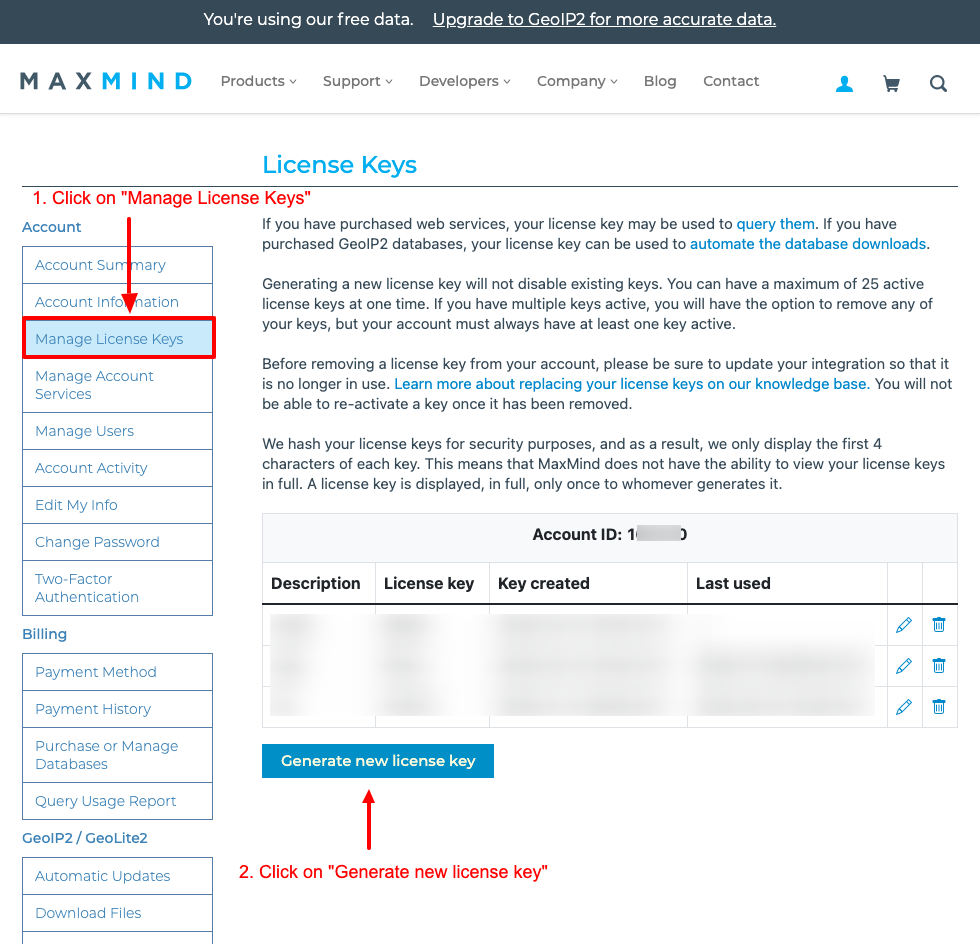
After successfully logging in, go to your profile by clicking on the user icon on the top right > MY ACCOUNT > then on the left navigation menu > Account > Click on Manage License Keys and then click on Generate new license key
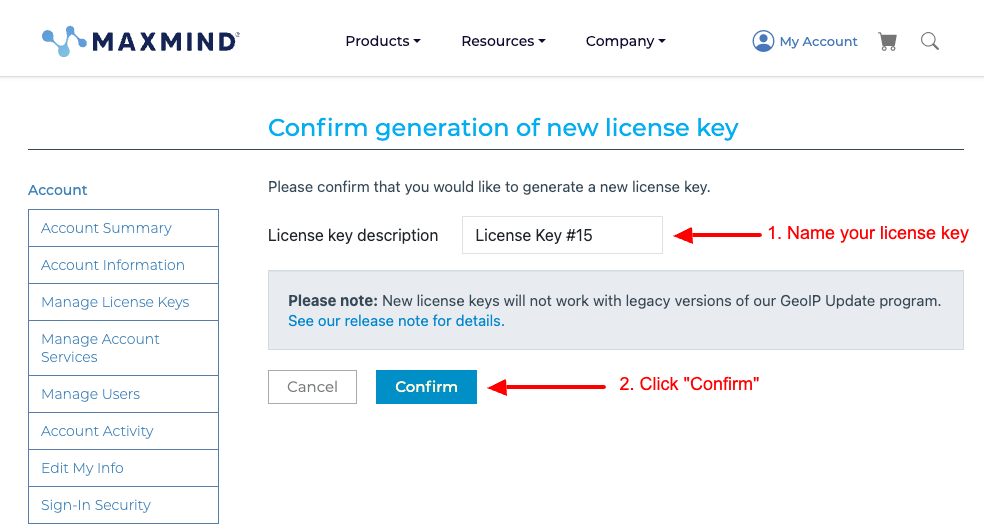
On the next page, name your license key and click on the Confirm button.
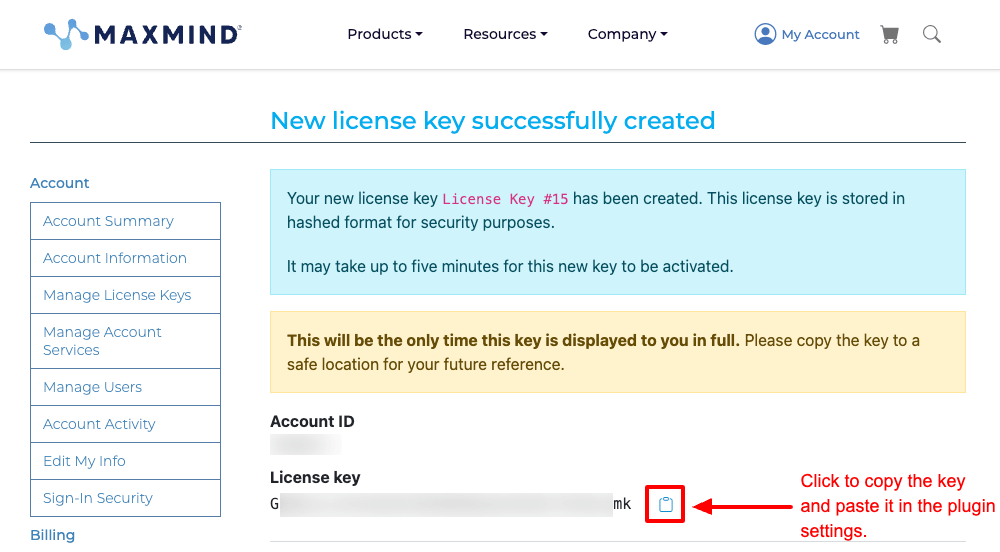
Your license key is now created and you can copy it to your clipboard and use it. Note that you won't be able to see the key again so note it down.
Set License Key to TGeoIP Plugin
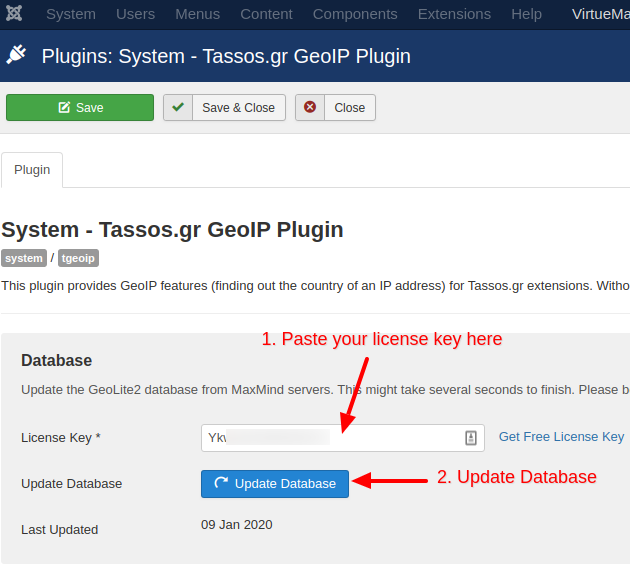
To add a license key in the GeoIP Plugin and Update Database, navigate to Extensions > Plugins, search for "System - Tassos GeoIP" and click on the plugin. In the License Key field, paste the license key you copied earlier.
After pasting the field, you can now click the Update Database button to update the GeoIP Database.
Frequently Asked Questions
How accurately does the TGeoIP Plugin provide the method?
Tassos GeoIP plugin is not always accurate and cannot be trusted fully as other means of geolocation, such as GPS or other mobile technologies, even though not all geolocation services provide perfect accuracy.
Since the plugin detects the visitor's IP Address, it can often be spoofed or altered without any means of knowing the real IP Address.
Which plugins use geolocation?
The extensions that utilize the mentioned plugin are the following:
Troubleshooting
I get "Your MaxMind license key appears to be incorrect." but my key is correct.
If you have just created the key, it most likely isn't active yet. MaxMind can take up to 5 minutes to activate a newly generated license key, and until then it rejects downloads with the same response as an invalid key, so the plugin can't tell the two apart. Wait a few minutes, then click Update Database again.
If it still fails after that, check that the key was pasted with no leading or trailing spaces, that its capitalization is intact (the key is case-sensitive), and that you copied the License Key, not the Account ID.



 Rated: