

-
- How to Add a User to a Joomla Group Programmatically
- How to Send Emails in Joomla with PHP
- How to Connect to an External Database in Joomla with PHP
- How to Check If the Current User is Super User in Joomla with PHP
- How to Check if the Current Page Is the Homepage in Joomla with PHP
- How to Create a User Account in Joomla with PHP
- How to Create an Article in Joomla with PHP
- PHP Scripts Collection
Install an extension on Joomla 3
Find the latest Joomla 3 version of each Tassos extension, and how to download and install it on a site that still runs Joomla 3.
The latest versions of our extensions need Joomla 4 or newer. If your site still runs Joomla 3, you can keep using them: we publish separate Joomla 3 versions, and we keep patching them whenever a security issue comes up.
They also get bug fixes, but new features only go to the Joomla 4+ versions.
Which version to install
This is the latest Joomla 3 version of each extension. Click a version to open its release page.
| Extension | Latest Joomla 3 version | Released |
|---|---|---|
| Google Structured Data | 5.6.14 | July 7, 2026 |
| Convert Forms | 4.4.17 | August 21, 2026 |
| EngageBox | 6.3.14 | July 7, 2026 |
| Advanced Custom Fields | 2.8.16 | November 5, 2026 |
| Smile Pack | 1.2.10 | November 5, 2026 |
| MailChimp Auto-Subscribe | 5.0.8 | July 7, 2026 |
| Code Snippets | Joomla 4 or newer only | |
These versions run on Joomla 3.8, 3.9 and 3.10, with PHP 7.4 or 8.0.
Download the Joomla 3 version
- Log into your account on tassos.gr.
- Click the extension's version in the table above.
- Under Files, click Download Free version or Download Pro version.
The Pro version needs an active subscription. If yours has expired, renew it first.
Install it on Joomla 3
- Take a full backup of your site.
- Log into your Joomla backend.
- Go to Extensions → Manage → Install.
- Click the Upload Package File tab.
Drag the zip file you downloaded onto the upload area.
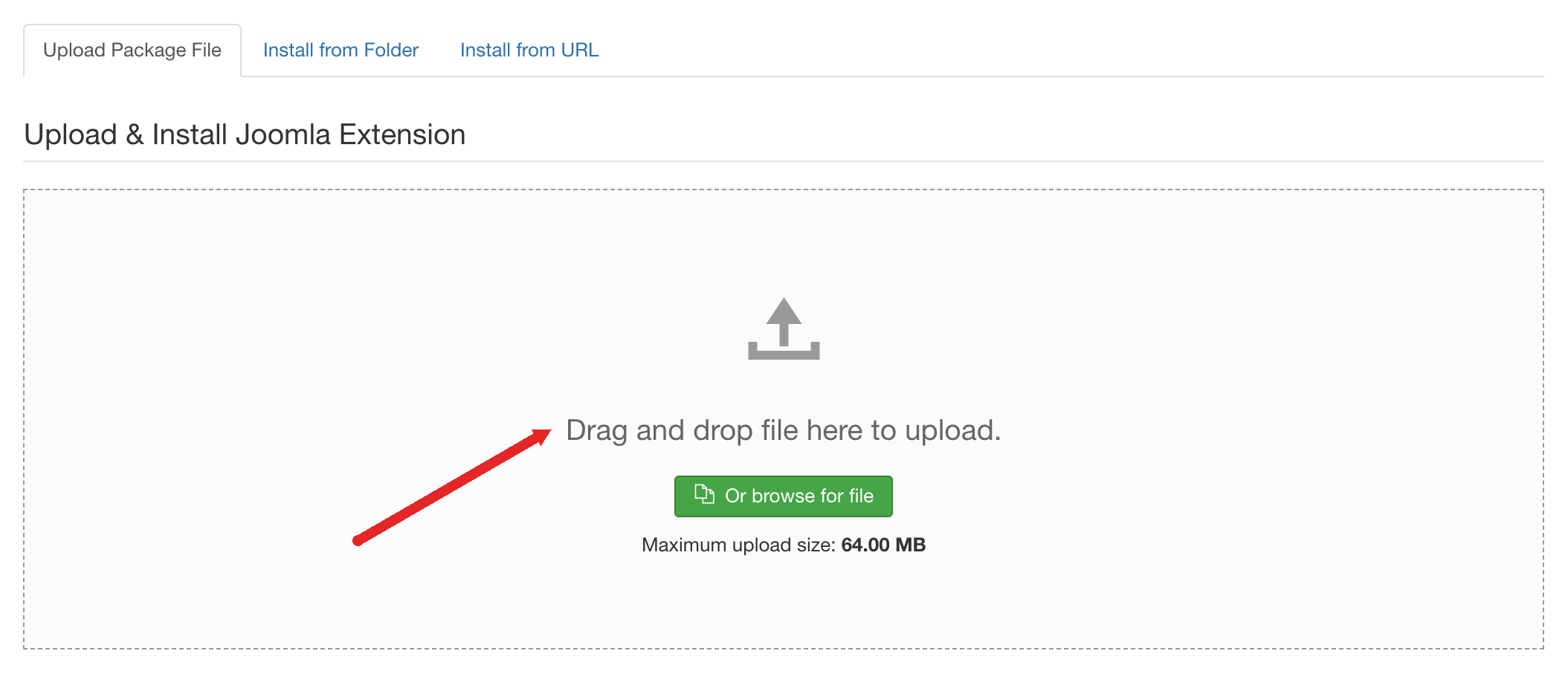
Joomla installs the extension and shows a success message.
To update, install the newer version over the old one with the same steps. You don't need to uninstall first, and your settings and content stay as they are. Update a Tassos extension has more on how updates work.
Running an old version?
If your site runs an older Joomla 3 version of one of our extensions, update it to the version in the table. The recent Joomla 3 releases include security fixes, and your site is exposed without them.
Upgrade your site to Joomla 6
Joomla 3 hasn't had security updates since August 2023, and the Joomla 3 versions of our extensions don't get new features. Upgrading to Joomla 6 fixes both.
If you'd rather not do it yourself, we upgrade Joomla 3 sites to Joomla 6. Contact us and we'll send you a quote.


 Rated: