

-
- How to Add a User to a Joomla Group Programmatically
- How to Send Emails in Joomla with PHP
- How to Connect to an External Database in Joomla with PHP
- How to Check If the Current User is Super User in Joomla with PHP
- How to Check if the Current Page Is the Homepage in Joomla with PHP
- How to Create a User Account in Joomla with PHP
- How to Create an Article in Joomla with PHP
- PHP Scripts Collection
Update an extension
Update any Tassos extension from inside Joomla with your Download Key, or manually by installing the new version over the old one.
You can update a Tassos extension from inside Joomla, or by installing the new version over the one you have. Both ways keep your content and settings.
Update from Joomla
Joomla can download and install our updates for you once it has your Download Key. You'll find the key on your Downloads page.
Add your Download Key
- Copy your Download Key from your Downloads page.
- Log into your Joomla backend.
- Go to System → Manage → Plugins.
- Search for Tassos Framework.
- Click System - Tassos Framework to edit it.
Paste your key into the Download Key field.
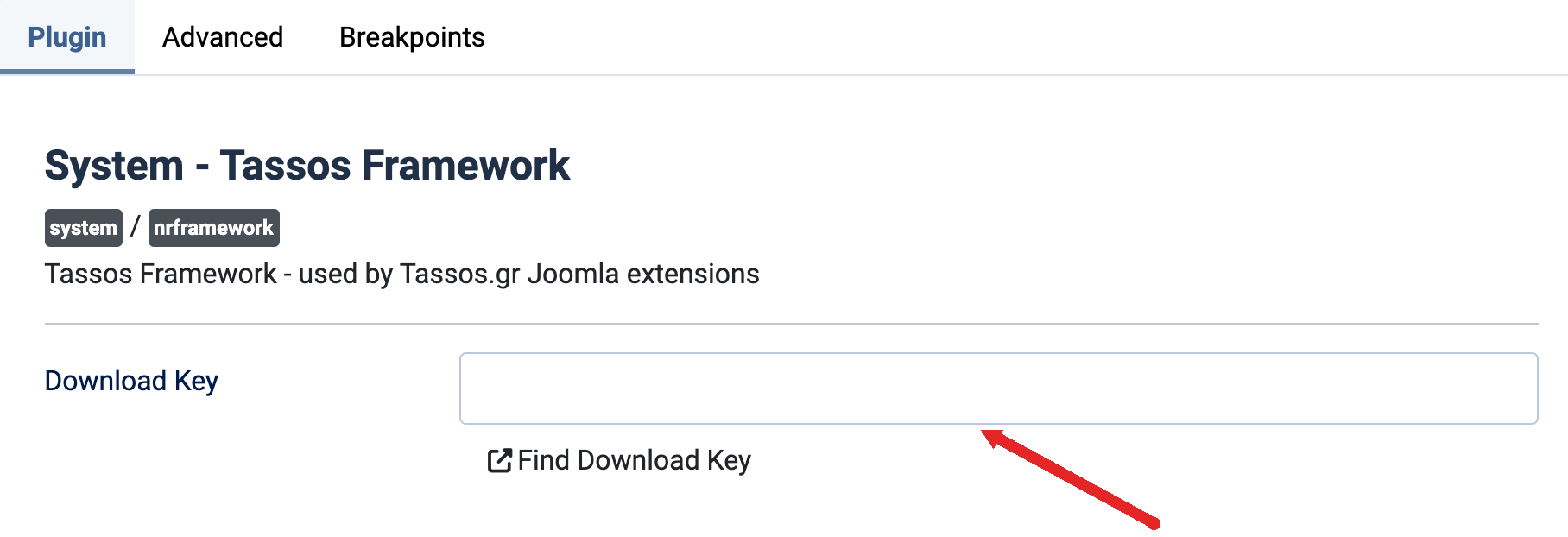
- Click Save & Close.
You only do this once, and it covers every Tassos extension on the site.
If Joomla says the key is invalid, it probably picked up a space or a hidden character. Paste the key into a plain text editor, copy it from there and save it again.
Saving the key keeps a Free version on Free. To switch to Pro, install the Pro version over it, as described in Upgrade from Free to Pro version.
Install the update
- Log into your Joomla backend.
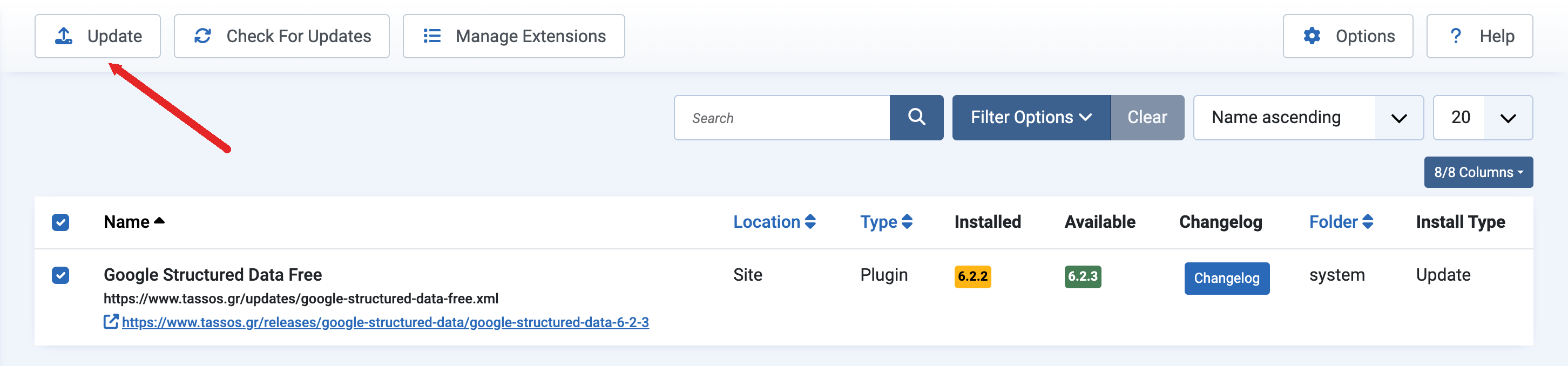
- Go to System → Update → Extensions.
- Click Check for Updates.
- Select the Tassos extension in the list.
Click Update.
Update manually
- Download the latest version from your Downloads page.
- Install it the same way you installed the extension.
You don't need to uninstall the old version first. Joomla replaces the extension's files and keeps your content and settings.
If your site still runs Joomla 3, download the version listed in Install an extension on Joomla 3. The latest versions need Joomla 4 or newer.
If the update fails
If Joomla shows "Error failed to extract file" or a similar error, follow Troubleshooting Extensions Update.


 Rated: