

-
- DJ-Catalog2
- DJ-Classifieds
- DJ-Events
- DPCalendar
- EasyBlog
- Eshop
- Event Booking
- Gridbox
- HikaShop
- iCagenda
- J2Commerce
- JBusiness Directory
- JCal Pro
- JEvents
- Joomla Articles
- Joomla Menu Manager
- JoomShopping
- JReviews
- K2
- OSCampus Structured Data
- Quix Page Builder
- RSBlog
- RSEventsPro
- SEO Glossary
- SobiPro
- SP Page Builder
- VirtueMart
- YOOtheme
- ZOO
-
- Troubleshoot Structured Data not Added to the Page
- Troubleshoot Structured Data not Identified by the Google Rich Results Tool
- Troubleshoot Structured Data not Showing in Search Results
- Preview button not showing on Structured Data Testing Tool
- I am seeing the "is not a known valid target type for the identifier property" error
- Fixing Error decoding JSON data in Joomla Articles
- Fix missing Google Structured Data tab in the Article Editing Page
-
- How to map schema properties using CSS Selectors
- How to Export and Import Google Structured Data Items
- HTML to Markdown Conversion
- Adding Facebook Open Graph Meta Data
- Site Representation Settings
- Use Structured Data for Google Merchant
- Create Multilingual Structured Data Items
- Use the Custom Code Content Type
- Prepare Content option
- Using the Schema Cleaner
Fix missing Google Structured Data tab in the Article Editing Page
Troubleshoot the missing Google Structured Data tab in the article's editing with the following checks.
Activate Content Plugin
First and foremost, you will need to make sure the Joomla Content integration is enabled in Components → Google Structured Data → Configuration, on the Integrations tab.
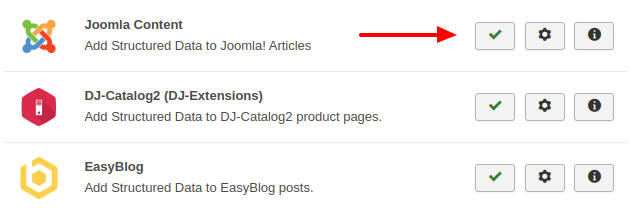
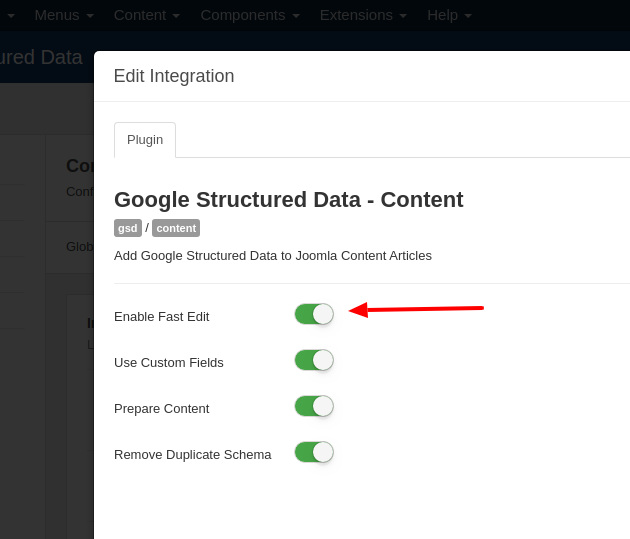
Enable Fast Edit
While on the Integrations tab, click the Options (gear) button next to Joomla Content to open the Edit Integration window and make sure Enable Fast Edit is on.
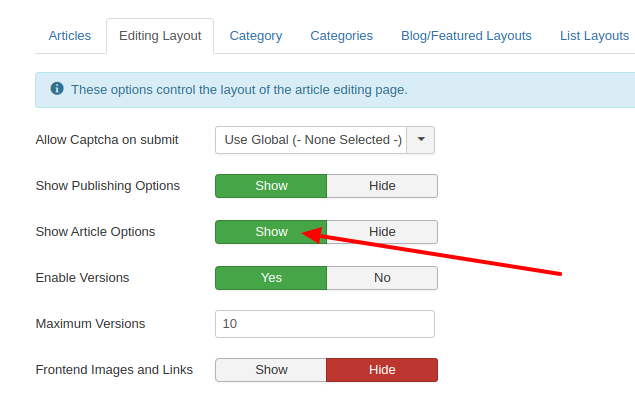
Enable Article Options
Another thing to ensure is that the Article Options setting is set to Show in Content → Articles → Options, on the Editing Layout tab.
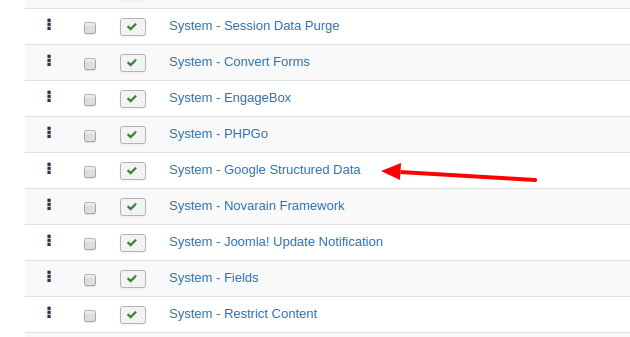
Re-order the Google Structured Data System Plugin
If none of the above helped, you might be facing a plugin conflict. To troubleshoot this, follow the steps below.
- Go to System → Manage → Plugins
- Click Filter Options and set - Select Type - to system
- Find the System - Google Structured Data plugin
- Click the Ordering column header (first column) to sort by ordering, then drag the plugin either to the bottom or to the top of the list
- Check if the tab appears now
Last updated on Oct 15th 2026 17:10
Schema and Structured Data Extension for Joomla
Markup your content with structured data and enhance the appearance of your website with rich results. Boost Joomla SEO in a few clicks.

Tassos offers a premium suite of Joomla extensions with 7 products and over 2.4 million downloads, providing reliable solutions since 2014.


 Rated:
Copyright © 2014 - 2026 - Smile Motive Development LP. All Rights Reserved.