

Unlock this and dozens of other powerful features by upgrading to Google Structured Data Pro.
Unlock this feature
-
- DJ-Catalog2
- DJ-Classifieds
- DJ-Events
- DPCalendar
- EasyBlog
- Eshop
- Event Booking
- Gridbox
- HikaShop
- iCagenda
- J2Commerce
- JBusiness Directory
- JCal Pro
- JEvents
- Joomla Articles
- Joomla Menu Manager
- JoomShopping
- JReviews
- K2
- OSCampus Structured Data
- Quix Page Builder
- RSBlog
- RSEventsPro
- SEO Glossary
- SobiPro
- SP Page Builder
- VirtueMart
- YOOtheme
- ZOO
-
- Troubleshoot Structured Data not Added to the Page
- Troubleshoot Structured Data not Identified by the Google Rich Results Tool
- Troubleshoot Structured Data not Showing in Search Results
- Preview button not showing on Structured Data Testing Tool
- I am seeing the "is not a known valid target type for the identifier property" error
- Fixing Error decoding JSON data in Joomla Articles
- Fix missing Google Structured Data tab in the Article Editing Page
-
- How to map schema properties using CSS Selectors
- How to Export and Import Google Structured Data Items
- HTML to Markdown Conversion
- Adding Facebook Open Graph Meta Data
- Site Representation Settings
- Use Structured Data for Google Merchant
- Create Multilingual Structured Data Items
- Use the Custom Code Content Type
- Prepare Content option
- Using the Schema Cleaner
Movie Structured Data
Add Movie structured data to your Joomla site. Include director, actors, release date, trailer URL, and reviews to help movie enthusiasts discover your film content in search.
Movie Structured Data is available in Pro
Mark up your movies with structured data so users can explore movies through Google Search. You can provide details about the movies, such as the title of the movie, director of the movie, an image of the movie and more.
How to markup Joomla Pages with the Movie Schema
Go to Components → Google Structured Data → Items and click New to create a new structured data item.
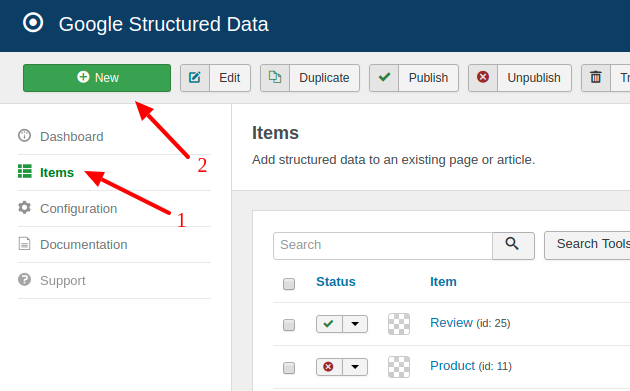
On the next page, you will need to prepare the Structured Data Item. Enter a Title (it can be anything) and select the Movie Content Type from the respective dropdown.
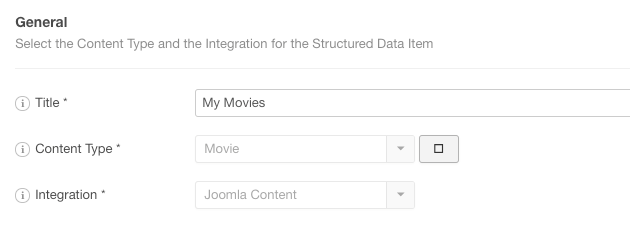
Then select the Integration for the component you want to mark up, for example Joomla Content. Integration View is filled in automatically. View the Supported Integrations.
The form reloads and a new section called Movie appears below, where you can map each property with page data. A Publishing Rules section appears under it.
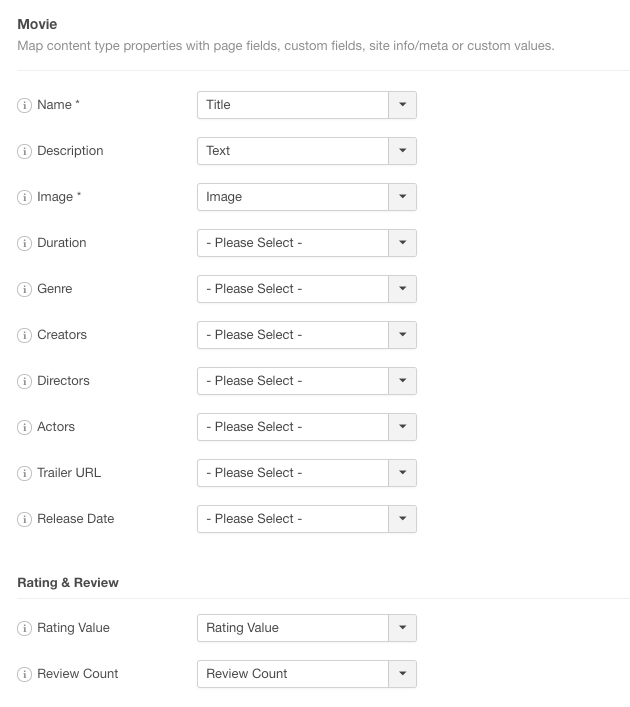
To read more details on how the mapping works, visit the respective section in the How to Add Structured Data to Pages guide.
Movie Schema Properties
Here's a table of the properties you can define in the Movie Content Type.
| Name | Description |
|---|---|
| Name | The name of the movie. |
| Description | The description of the movie. |
| Image | An image that represents the movie. |
| Duration | Set the duration of the movie in minutes. |
| Genre | The genre of the movie |
| Creators | The creators of the movie |
| Directors | The directors of the movie |
| Actors | The actors of the movie |
| Trailer URL | A URL pointing to the actual video media file. This file should be in .mpg, .mpeg, .mp4, .m4v, .mov, .wmv, .asf, .avi, .ra, .ram, .rm, .flv, or other video file format |
| Release Date | The date the movie was released. |
| Rating Value | The rating value for the content. |
| Review Count | How many reviews does this item have |
General rule: Always markup content that is displayed on the page to visitors. Doing otherwise you may end up with a Spammy Structured Markup Penalty.
Useful Links
Movie Structured Data is available in Pro
Unlock this and dozens of other powerful features by upgrading to Google Structured Data Pro.
Unlock this feature
Last updated on Oct 15th 2026 17:10
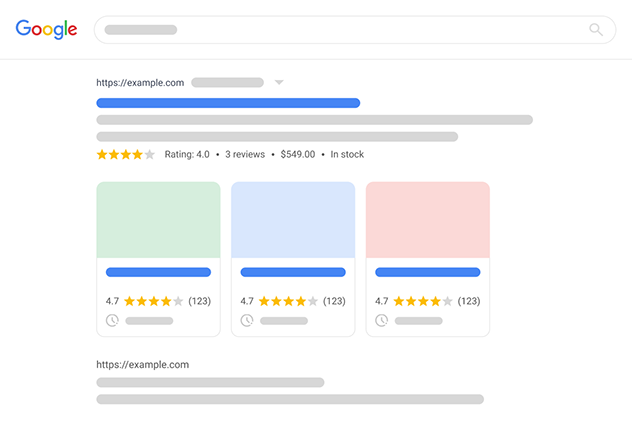
Schema and Structured Data Extension for Joomla
Markup your content with structured data and enhance the appearance of your website with rich results. Boost Joomla SEO in a few clicks.

Tassos offers a premium suite of Joomla extensions with 7 products and over 2.4 million downloads, providing reliable solutions since 2014.


 Rated:
Copyright © 2014 - 2026 - Smile Motive Development LP. All Rights Reserved.