

-
-
- Submit Updated Articles to Bing and Yandex with IndexNow in Joomla
- Add Published and Modified Date Meta Tags to Joomla
- Add Open Graph and Twitter Card Tags to Joomla
- Auto-Generate Meta Descriptions from Article Text in Joomla
- Add Noindex to Specific Pages in Joomla
- Verify Your Joomla Site with Google Search Console
-
- Add a View as Markdown Link to Joomla Articles
- Display the Last Modified Date in Joomla Articles
- Embed Iframes in Joomla
- Automatically Link Twitter (X) @mentions in Joomla Articles
- Open External Links in a New Tab in Joomla
- Display Estimated Reading Time in Joomla Articles
- Replace Old URLs in Joomla
- Search and Replace in Joomla
-
- Add a Footer Line to the Joomla Administrator
- Show a Staging Banner in the Joomla Administrator
- Remove the "All" Option from Admin List Limits in Joomla
- Add a Cookie Consent Banner to Joomla
- Make the Administrator Navigation Sticky in Joomla
- Add Google Fonts to Joomla
- Add a Facebook Messenger Chat Button to Joomla
- Add a Reading Progress Bar to Joomla
- Add a Custom Scrollbar to Joomla
- Show Confetti on a Thank You Page in Joomla
- Add Smooth Scrolling to Joomla
- Add a Back to Top Button in Joomla
- Add a WhatsApp Chat Button in Joomla
-
- Protect the Administrator with a Secret URL Key in Joomla
- Show a Welcome Message on First Login in Joomla
- Log Out Idle Administrators in Joomla
- Assign New Users to a Different User Group Automatically in Joomla
- Redirect Visitors by Country in Joomla
- Redirect Users After Login by User Group in Joomla
- Block User Registration with Certain Usernames in Joomla
- Block User Registration by Country in Joomla
- Block User Registration by Email Address in Joomla
- Block User Registration by IP Address in Joomla
- Remove the Forgot Password and Username Links in Joomla
- Remove the Generator Meta Tag in Joomla
- Let Users Log In with Their Email Address in Joomla
- Block Traffic by Country in Joomla
- Block Bot Traffic in Joomla
- Block Traffic by IP Address in Joomla
Remove CSS and Scripts in Joomla
Strip unused CSS and JavaScript from your Joomla pages to make them lighter and faster, using one PHP snippet.
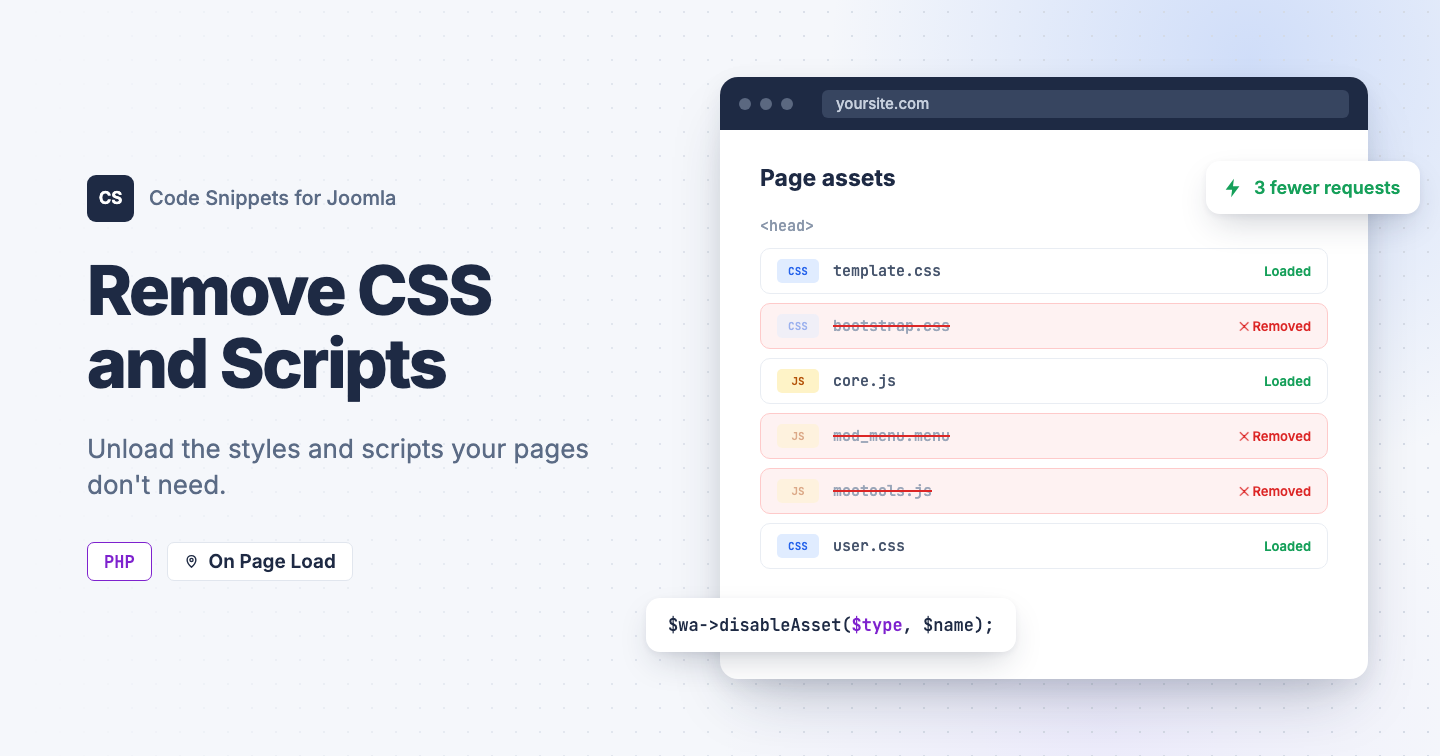
There are cases where you would like to remove or disable unnecessary CSS and JavaScript files from your Joomla site output. This is a common task: removing styles and scripts to improve performance, avoid file conflicts, and keep pages lighter. Hopefully, you don't need an extra plugin. You can do it with Tassos Code Snippets using a simple PHP snippet.
The PHP Snippet Code
This snippet disables CSS, JavaScript, and asset presets before Joomla renders the <head>, so you control exactly which files load on your frontend pages.
You don't need the exact asset name. Type any part of it and every matching asset is removed. For example, menu matches mod_menu.menu. Matching is case-insensitive.
use Joomla\CMS\Factory;
use Joomla\CMS\Document\HtmlDocument;

// Add any part of an asset name. 'menu' matches 'mod_menu.menu', 'bootstrap' matches
// 'bootstrap.css'. Matching is case-insensitive and matches anywhere in the name.
$unwanted = [
    'bootstrap.css',
    'mod_menu.menu',
];

// Asset types to search. 'preset' is included because names like 'mod_menu.menu' are
// registered as a preset that pulls in the matching script and style.
$types = ['style', 'script', 'preset'];

// Do not edit below.
$app = Factory::getApplication();

$app->registerEvent('onBeforeCompileHead', function () use ($app, $unwanted, $types)
{
    $document = $app->getDocument();

    if (!($document instanceof HtmlDocument))
    {
        return;
    }

    $needles = array_filter(array_map('strtolower', array_map('trim', $unwanted)));

    if (!$needles)
    {
        return;
    }

    $wa = $document->getWebAssetManager();

    foreach ($types as $type)
    {
        foreach ($wa->getAssets($type, true) as $asset)
        {
            $name = $asset->getName();

            foreach ($needles as $needle)
            {
                if (strpos(strtolower($name), $needle) !== false)
                {
                    $wa->disableAsset($type, $name);

                    // Uncomment to see which assets are being removed:
                    // $app->enqueueMessage('Removed ' . $type . ': ' . $name, 'notice');

                    break;
                }
            }
        }
    }
});
Tip: Keep each entry specific enough to match only what you want. A short fragment like core matches many assets, so prefer something distinctive such as bootstrap.css or mod_menu.menu. To see what a page loads, uncomment the enqueueMessage line in the snippet.
How to add this snippet
- Install Tassos Code Snippets if it is not installed already.
- Go to your Joomla Administrator area.
- Open Components → Tassos Code Snippets.
- Click New.
- Select PHP as the snippet type.
- Paste the remove styles and scripts code above.
- Select Insertion Method → Page Load.
- Publish the snippet.
- Optionally, open the Conditional Logic tab to restrict which pages or users the snippet runs on. Leave it empty to run it site-wide. Learn more in Using Snippet Logic.
Congratulations! You've just added the ability to remove CSS and JS in Joomla without installing another plugin or adding unnecessary bloat to your site. To learn more details, visit the PHP Snippet documentation:
Use Cases
- Remove legacy MooTools files not used anymore
- Remove duplicate Bootstrap CSS/JS loaded by multiple extensions
- Prevent conflicting libraries from loading together
- Improve page speed by reducing unnecessary requests
- Keep frontend asset output cleaner on selected pages




 Rated: