

-
-
- Submit Updated Articles to Bing and Yandex with IndexNow in Joomla
- Add Published and Modified Date Meta Tags to Joomla
- Add Open Graph and Twitter Card Tags to Joomla
- Auto-Generate Meta Descriptions from Article Text in Joomla
- Add Noindex to Specific Pages in Joomla
- Verify Your Joomla Site with Google Search Console
-
- Add a View as Markdown Link to Joomla Articles
- Display the Last Modified Date in Joomla Articles
- Embed Iframes in Joomla
- Automatically Link Twitter (X) @mentions in Joomla Articles
- Open External Links in a New Tab in Joomla
- Display Estimated Reading Time in Joomla Articles
- Replace Old URLs in Joomla
- Search and Replace in Joomla
-
- Add a Footer Line to the Joomla Administrator
- Show a Staging Banner in the Joomla Administrator
- Remove the "All" Option from Admin List Limits in Joomla
- Add a Cookie Consent Banner to Joomla
- Make the Administrator Navigation Sticky in Joomla
- Add Google Fonts to Joomla
- Add a Facebook Messenger Chat Button to Joomla
- Add a Reading Progress Bar to Joomla
- Add a Custom Scrollbar to Joomla
- Show Confetti on a Thank You Page in Joomla
- Add Smooth Scrolling to Joomla
- Add a Back to Top Button in Joomla
- Add a WhatsApp Chat Button in Joomla
-
- Protect the Administrator with a Secret URL Key in Joomla
- Show a Welcome Message on First Login in Joomla
- Log Out Idle Administrators in Joomla
- Assign New Users to a Different User Group Automatically in Joomla
- Redirect Visitors by Country in Joomla
- Redirect Users After Login by User Group in Joomla
- Block User Registration with Certain Usernames in Joomla
- Block User Registration by Country in Joomla
- Block User Registration by Email Address in Joomla
- Block User Registration by IP Address in Joomla
- Remove the Forgot Password and Username Links in Joomla
- Remove the Generator Meta Tag in Joomla
- Let Users Log In with Their Email Address in Joomla
- Block Traffic by Country in Joomla
- Block Bot Traffic in Joomla
- Block Traffic by IP Address in Joomla
Add a Cookie Consent Banner to Joomla
Ask visitors for cookie consent with a bar at the foot of your Joomla site, remember the answer and load analytics only after a yes, using one HTML snippet.
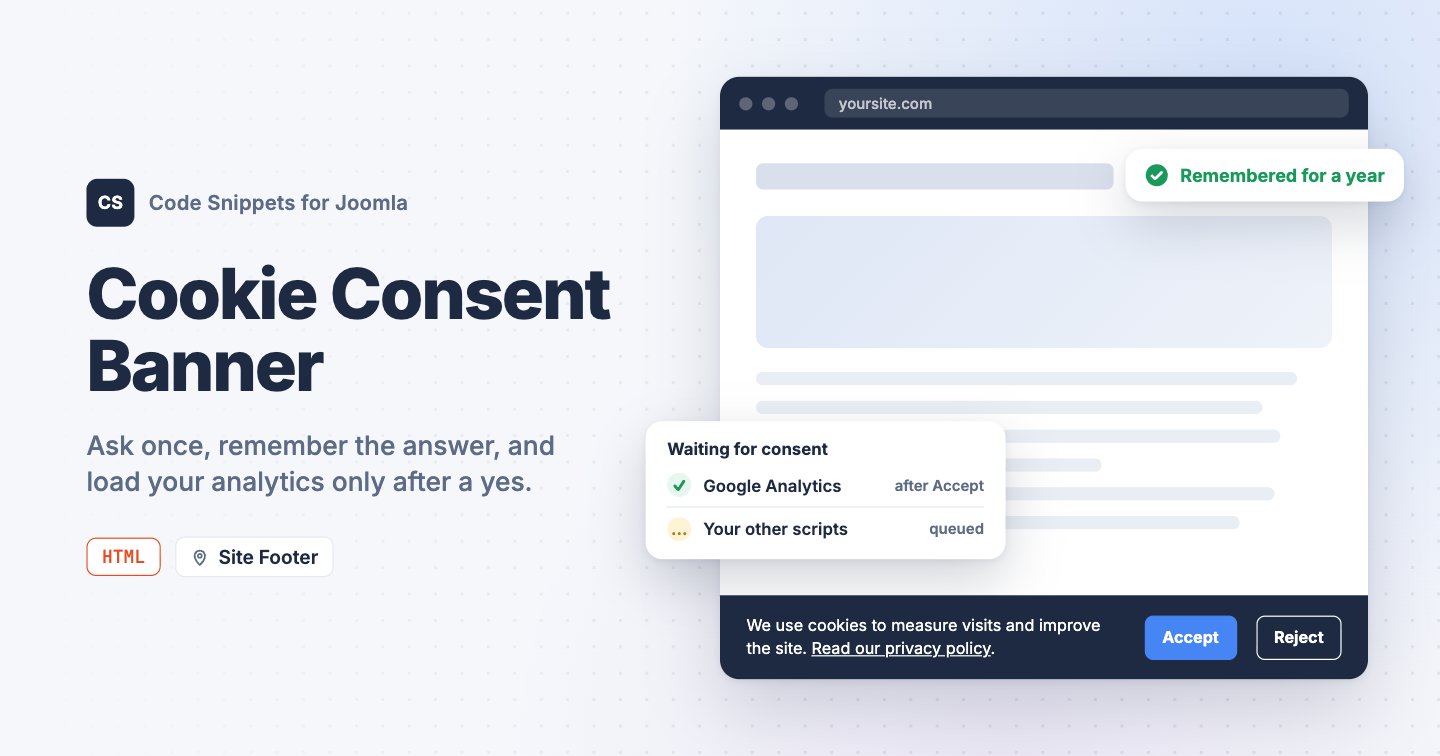
Analytics, pixels and chat widgets set cookies the moment a page loads. If your visitors are in the EU, the UK or anywhere else with a consent law, you have to ask them first, and Joomla has no cookie banner of its own. You can add a consent bar that remembers each visitor's choice, and make your tracking scripts wait for it, with one HTML snippet in Code Snippets.
The snippet code
The snippet shows a bar at the bottom of the page with an Accept and a Reject button. The choice is stored in a cookie named tcs_cookie_consent for a year, so the bar shows once. When the visitor accepts, the snippet runs any script that is waiting for consent (the next section shows how), tells Google's Consent Mode that storage is allowed, and fires a tcs-cookie-consent event on the document for your own code.
<style>
  .tcs-cookie {
    /* Colors. Change these three lines to match your site. */
    --bar-bg: #1e2a42;
    --bar-text: #ffffff;
    --bar-accept: #4585f4;

    position: fixed;
    inset: auto 0 0 0;
    z-index: 9999;
    display: flex;
    flex-wrap: wrap;
    gap: 12px 28px;
    align-items: center;
    justify-content: center;
    padding: 16px 20px;
    background: var(--bar-bg);
    color: var(--bar-text);
    font: 15px/1.5 system-ui, sans-serif;
    box-shadow: 0 -4px 20px rgba(0, 0, 0, .2);
    animation: tcs-cookie-in .3s ease-out;
  }
  .tcs-cookie[hidden] { display: none; }
  .tcs-cookie p { margin: 0; max-width: 60ch; }
  .tcs-cookie a { color: inherit; }
  .tcs-cookie button {
    font: inherit;
    font-weight: 600;
    padding: 8px 18px;
    margin-right: 8px;
    border-radius: 6px;
    border: 1px solid currentColor;
    background: transparent;
    color: inherit;
    cursor: pointer;
  }
  .tcs-cookie .tcs-cookie-accept {
    background: var(--bar-accept);
    border-color: var(--bar-accept);
  }
  @keyframes tcs-cookie-in { from { transform: translateY(100%); } }
  @media (prefers-reduced-motion: reduce) {
    .tcs-cookie { animation: none; }
  }
</style>
<div class="tcs-cookie" role="region" aria-label="Cookie consent" hidden>
  <p>We use cookies to measure visits and improve the site.
    <a href="/privacy-policy">Read our privacy policy</a>.</p>
  <div>
    <button type="button" class="tcs-cookie-accept">Accept</button>
    <button type="button" class="tcs-cookie-reject">Reject</button>
  </div>
</div>
<script>
(function () {
  // How many days the visitor's choice is remembered.
  var days = 365;

  // Do not edit below.
  var name = 'tcs_cookie_consent';
  var bar = document.querySelector('.tcs-cookie');
  var pending = window.tcsConsent || [];

  function read() {
    var match = document.cookie.match('(?:^|; )' + name + '=([^;]*)');
    return match ? match[1] : '';
  }

  function write(value) {
    var secure = location.protocol === 'https:' ? '; Secure' : '';
    document.cookie = name + '=' + value + '; Max-Age=' + days * 86400
      + '; Path=/; SameSite=Lax' + secure;
  }

  // Other snippets call tcsConsent.push(fn). fn runs once consent is given,
  // right away when the visitor already accepted on an earlier visit.
  var consent = window.tcsConsent = {
    status: read(),
    push: function (fn) {
      if (consent.status === 'granted') { fn(); } else { pending.push(fn); }
    }
  };

  function choose(value) {
    consent.status = value;
    write(value);
    bar.hidden = true;

    if (value === 'granted') {
      while (pending.length) { pending.shift()(); }

      if (typeof window.gtag === 'function') {
        gtag('consent', 'update', {
          analytics_storage: 'granted',
          ad_storage: 'granted',
          ad_user_data: 'granted',
          ad_personalization: 'granted'
        });
      }
    }

    document.dispatchEvent(new CustomEvent('tcs-cookie-consent', { detail: value }));
  }

  bar.querySelector('.tcs-cookie-accept').addEventListener('click', function () {
    choose('granted');
  });
  bar.querySelector('.tcs-cookie-reject').addEventListener('click', function () {
    choose('denied');
  });

  // A link or button with the class tcs-cookie-open shows the bar again.
  document.addEventListener('click', function (event) {
    if (event.target.closest('.tcs-cookie-open')) {
      event.preventDefault();
      bar.hidden = false;
    }
  });

  if (consent.status === 'granted') {
    while (pending.length) { pending.shift()(); }
  } else if (consent.status === '') {
    bar.hidden = false;
  }
})();
</script>
Change the text and the privacy policy link in the HTML. The three variables at the top of the style block set the colors. days in the script sets how long the choice is remembered.
The bar slides in from the bottom. Visitors who turned on reduced motion in their operating system see it appear without the animation.
To let visitors change their mind later, add a link with the class tcs-cookie-open anywhere on the site, for example a "Cookie settings" item in your footer menu with that class in its Link Class field. Clicking it brings the bar back.
How to add this snippet
- Install Code Snippets if it isn't installed already.
- Log into your Joomla backend.
- Go to Components → Tassos Code Snippets.
- Click New.
- Enter a title, for example Cookie banner.
- Set Code Type to HTML.
- Set Insertion Method to Auto-Insert Locations.
- Set Location to Site Footer.
- Paste the code above into the editor.
- Click Save & Close.
Load Google Analytics only after consent
A banner on its own changes nothing: the tracking code in your other snippets still runs on page load. To make it wait, wrap it in a function and hand that function to tcsConsent.push(). The banner runs it the moment the visitor clicks Accept, and right away on later visits when the choice is already stored. If the visitor clicks Reject, the function never runs.
This is the Google Analytics snippet rewritten that way. Replace the code of your Google Analytics snippet with it, and keep it in the Site Header location. The order of the two snippets doesn't matter: a function pushed before the banner loads waits in a queue.
<script>
  window.tcsConsent = window.tcsConsent || [];
  tcsConsent.push(function () {
    var script = document.createElement('script');
    script.async = true;
    script.src = 'https://www.googletagmanager.com/gtag/js?id=G-XXXXXXXXXX';
    document.head.appendChild(script);

    window.dataLayer = window.dataLayer || [];
    window.gtag = function () { dataLayer.push(arguments); };
    gtag('js', new Date());
    gtag('config', 'G-XXXXXXXXXX');
  });
</script>
Replace both G-XXXXXXXXXX placeholders with your Measurement ID. Other tracking snippets can wait the same way: move their code inside the function.
Check that it works
- Open your site in a private browser window. The bar is at the bottom of the page.
- Click Accept, then reload the page.
The bar is gone, and it stays gone on every page. In the browser's developer tools, the Application tab (Storage in Firefox) lists a tcs_cookie_consent cookie with the value granted. With the Google Analytics snippet from the section above, the Network tab shows the request to googletagmanager.com only after you click Accept, and on every page load after that. Click Reject in a fresh private window instead, and the request never appears.
For a banner with cookie categories and a consent log, see our picks in Best Cookie Consent Banner Extensions for Joomla. To add the tracking code the bar waits for, see Add Google Analytics to Joomla. To learn more about how HTML snippets work, read the HTML snippet docs.




 Rated: