

-
-
- Submit Updated Articles to Bing and Yandex with IndexNow in Joomla
- Add Published and Modified Date Meta Tags to Joomla
- Add Open Graph and Twitter Card Tags to Joomla
- Auto-Generate Meta Descriptions from Article Text in Joomla
- Add Noindex to Specific Pages in Joomla
- Verify Your Joomla Site with Google Search Console
-
- Add a View as Markdown Link to Joomla Articles
- Display the Last Modified Date in Joomla Articles
- Embed Iframes in Joomla
- Automatically Link Twitter (X) @mentions in Joomla Articles
- Open External Links in a New Tab in Joomla
- Display Estimated Reading Time in Joomla Articles
- Replace Old URLs in Joomla
- Search and Replace in Joomla
-
- Add a Footer Line to the Joomla Administrator
- Show a Staging Banner in the Joomla Administrator
- Remove the "All" Option from Admin List Limits in Joomla
- Add a Cookie Consent Banner to Joomla
- Make the Administrator Navigation Sticky in Joomla
- Add Google Fonts to Joomla
- Add a Facebook Messenger Chat Button to Joomla
- Add a Reading Progress Bar to Joomla
- Add a Custom Scrollbar to Joomla
- Show Confetti on a Thank You Page in Joomla
- Add Smooth Scrolling to Joomla
- Add a Back to Top Button in Joomla
- Add a WhatsApp Chat Button in Joomla
-
- Protect the Administrator with a Secret URL Key in Joomla
- Show a Welcome Message on First Login in Joomla
- Log Out Idle Administrators in Joomla
- Assign New Users to a Different User Group Automatically in Joomla
- Redirect Visitors by Country in Joomla
- Redirect Users After Login by User Group in Joomla
- Block User Registration with Certain Usernames in Joomla
- Block User Registration by Country in Joomla
- Block User Registration by Email Address in Joomla
- Block User Registration by IP Address in Joomla
- Remove the Forgot Password and Username Links in Joomla
- Remove the Generator Meta Tag in Joomla
- Let Users Log In with Their Email Address in Joomla
- Block Traffic by Country in Joomla
- Block Bot Traffic in Joomla
- Block Traffic by IP Address in Joomla
Show a Staging Banner in the Joomla Administrator
Put a red STAGING bar across the top of your Joomla admin and a warning in the tab title, so no one edits the live site by mistake, using one HTML snippet.
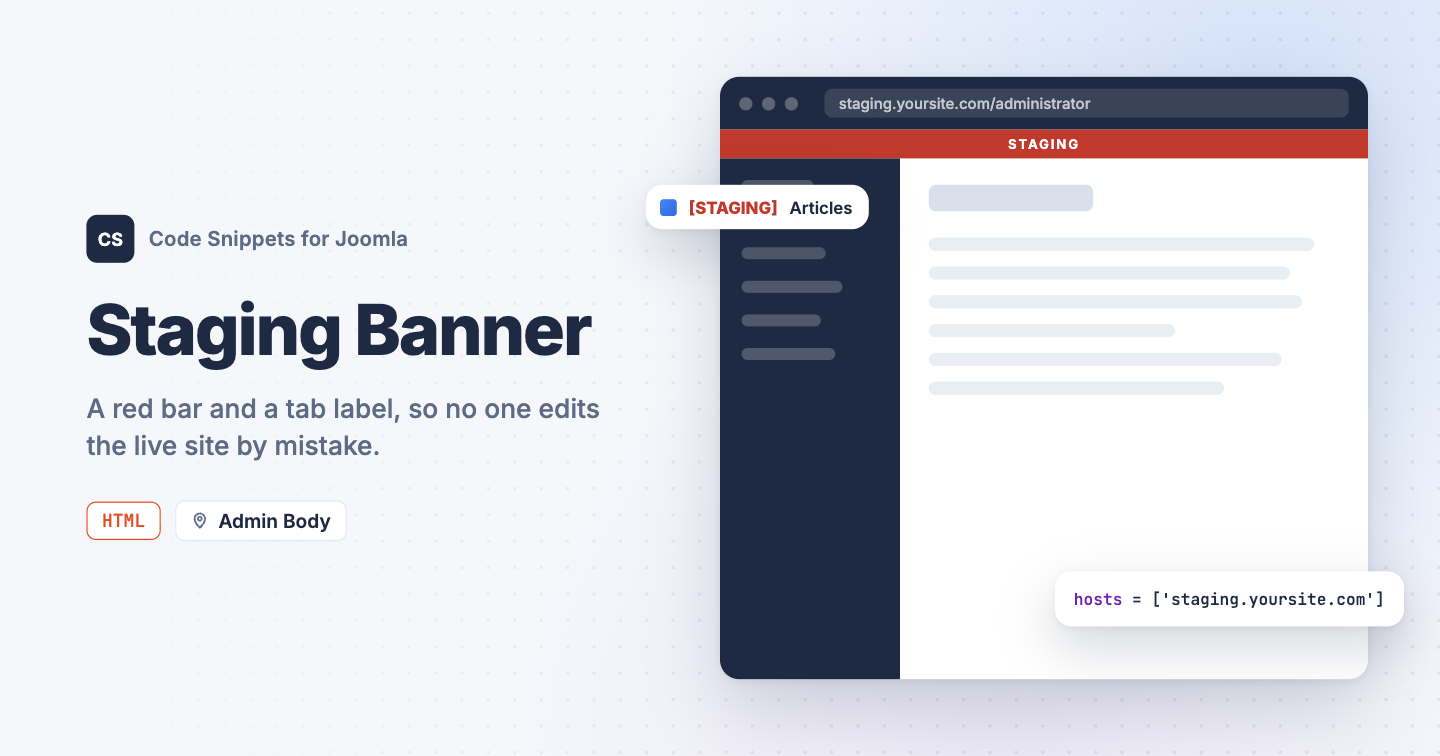
A staging copy and the live site share the same template, the same content and the same login screen. With both open in browser tabs, sooner or later someone edits the live site thinking it's the copy, or the other way round. You can give the staging admin a red bar across the top and a tag in the tab title with one HTML snippet in Code Snippets.
The snippet code
The snippet adds a thin red bar above the administrator header and puts the same word in front of the page title, so the browser tab reads "[STAGING] Articles". It only does so on the hostnames you list. That check matters: snippets live in the database, so when you copy the staging database to the live site the snippet comes along, and the hostname check is what keeps the bar off the live site.
<style>
  .tcs-staging {
    position: fixed;
    top: 0;
    left: 0;
    right: 0;
    z-index: 10000;
    padding: 5px 0;
    background: #c0392b;
    color: #fff;
    font: 700 13px/1.2 system-ui, sans-serif;
    letter-spacing: .12em;
    text-align: center;
    pointer-events: none;
  }
  body.tcs-staging-on { padding-top: 26px; }
  body.tcs-staging-on #header { top: 26px; }
</style>
<div class="tcs-staging" hidden></div>
<script>
(function () {
  // The hostnames where this is the staging site. The banner only shows there,
  // so it stays away when the database is copied to the live site.
  var hosts = ['staging.example.com'];

  // The text of the banner and of the browser tab.
  var label = 'STAGING';

  // Do not edit below.
  if (hosts.indexOf(location.hostname) === -1)
  {
    return;
  }

  var bar = document.querySelector('.tcs-staging');

  bar.textContent = label;
  bar.hidden = false;
  document.body.classList.add('tcs-staging-on');
  document.title = '[' + label + '] ' + document.title;
})();
</script>
Put your staging site's hostname in hosts, without https://, and add more in the same list if you have several. Change the word in label to taste, and the color in the background line of the style block.
How to add this snippet
- Install Code Snippets if it isn't installed already.
- Log into your Joomla backend.
- Go to Components → Tassos Code Snippets.
- Click New.
- Enter a title, for example Staging banner.
- Set Code Type to HTML.
- Set Insertion Method to Auto-Insert Locations.
- Set Location to Admin Body.
- Paste the code above into the editor.
- Click Save & Close.
Admin locations are part of Code Snippets Pro.
Check that it works
- Reload any administrator page on the staging site.
- Look at the top of the page and at the browser tab.
A red STAGING bar sits above the header, and the tab title starts with [STAGING]. The bar shows on the login screen too, so you know where you are before you sign in. Open the live site's administrator and both are gone.
To learn more about how HTML snippets work, read the HTML snippet docs.




 Rated: