

-
-
- Submit Updated Articles to Bing and Yandex with IndexNow in Joomla
- Add Published and Modified Date Meta Tags to Joomla
- Add Open Graph and Twitter Card Tags to Joomla
- Auto-Generate Meta Descriptions from Article Text in Joomla
- Add Noindex to Specific Pages in Joomla
- Verify Your Joomla Site with Google Search Console
-
- Add a View as Markdown Link to Joomla Articles
- Display the Last Modified Date in Joomla Articles
- Embed Iframes in Joomla
- Automatically Link Twitter (X) @mentions in Joomla Articles
- Open External Links in a New Tab in Joomla
- Display Estimated Reading Time in Joomla Articles
- Replace Old URLs in Joomla
- Search and Replace in Joomla
-
- Add a Footer Line to the Joomla Administrator
- Show a Staging Banner in the Joomla Administrator
- Remove the "All" Option from Admin List Limits in Joomla
- Add a Cookie Consent Banner to Joomla
- Make the Administrator Navigation Sticky in Joomla
- Add Google Fonts to Joomla
- Add a Facebook Messenger Chat Button to Joomla
- Add a Reading Progress Bar to Joomla
- Add a Custom Scrollbar to Joomla
- Show Confetti on a Thank You Page in Joomla
- Add Smooth Scrolling to Joomla
- Add a Back to Top Button in Joomla
- Add a WhatsApp Chat Button in Joomla
-
- Protect the Administrator with a Secret URL Key in Joomla
- Show a Welcome Message on First Login in Joomla
- Log Out Idle Administrators in Joomla
- Assign New Users to a Different User Group Automatically in Joomla
- Redirect Visitors by Country in Joomla
- Redirect Users After Login by User Group in Joomla
- Block User Registration with Certain Usernames in Joomla
- Block User Registration by Country in Joomla
- Block User Registration by Email Address in Joomla
- Block User Registration by IP Address in Joomla
- Remove the Forgot Password and Username Links in Joomla
- Remove the Generator Meta Tag in Joomla
- Let Users Log In with Their Email Address in Joomla
- Block Traffic by Country in Joomla
- Block Bot Traffic in Joomla
- Block Traffic by IP Address in Joomla
Add Published and Modified Date Meta Tags to Joomla
Tell Google and the social networks when each Joomla article was published and last updated, with two meta tags in the head, using one HTML or PHP snippet.
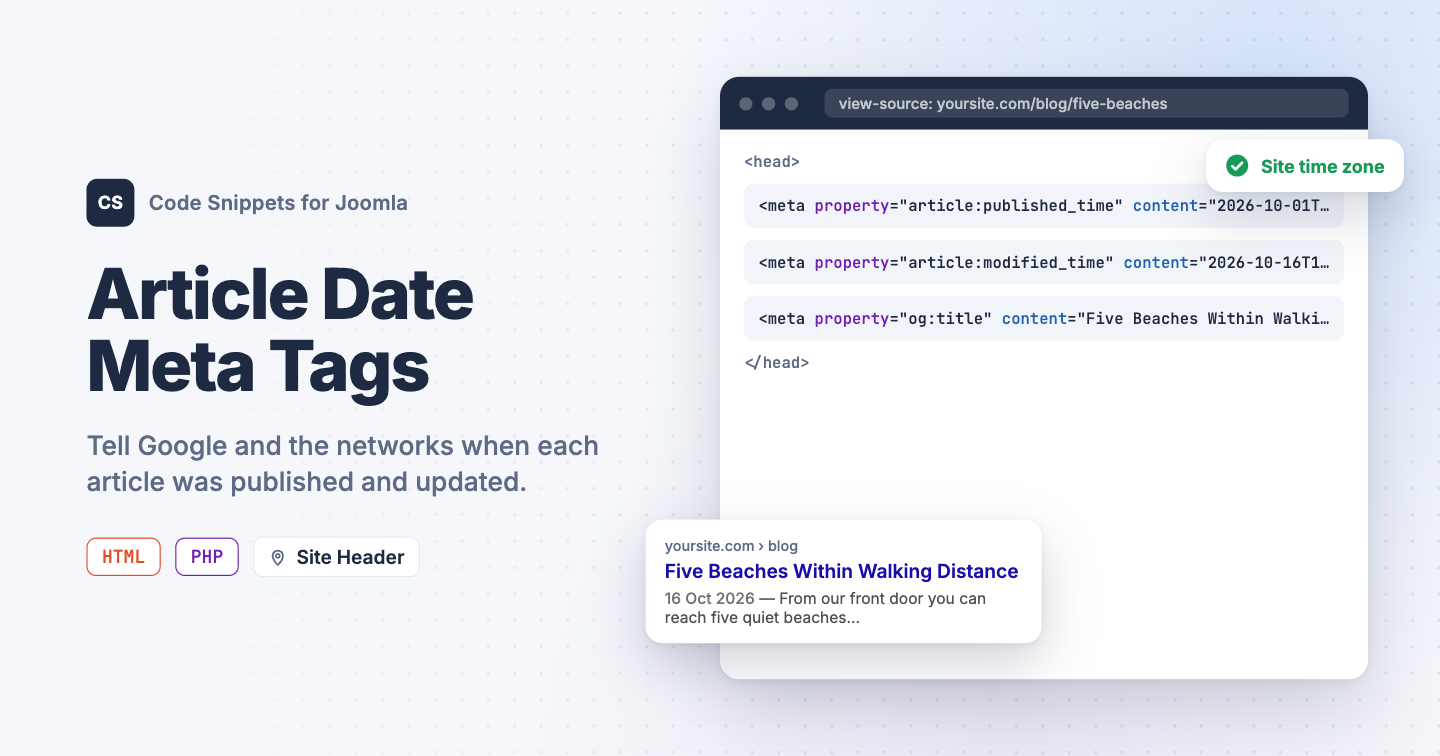
Google, Facebook and LinkedIn read two meta tags to learn when an article was published and when it last changed: article:published_time and article:modified_time. A fresh date can earn a "2 days ago" label in search results and tells the networks to refresh a shared card. Joomla keeps both dates for every article but writes neither into the head. You can add the two tags with one snippet in Code Snippets, as two lines of HTML or as a PHP snippet that adds the time of day.
Using an HTML snippet
This is the basic version: two meta tags, filled in by smart tags when the page renders. It writes the dates without the time, like 2026-10-16, which is all the networks need for a card, and it covers single article pages.
- Install Code Snippets if it isn't installed already.
- Log into your Joomla backend.
- Go to Components → Tassos Code Snippets.
- Click New.
- Enter a title, for example Article date tags.
- Set Code Type to HTML.
- Set Insertion Method to Auto-Insert Locations.
- Set Location to Site Header.
-
Paste this code into the editor:
<meta property="article:published_time" content="{tcs article.publish_up --filter=re:\s.*}"> <meta property="article:modified_time" content="{tcs article.modified --filter=re:\s.*}"> -
Open the Conditional Logic tab:
- Set Display on to Selected Pages.
- Click New Condition Set.
- Click Select Condition and choose Content View.
- Select Single Article.
- Click Save & Close.
The {tcs article.publish_up} smart tag prints the article's Start Publishing date and {tcs article.modified} its modified date, both as 2026-10-16 15:45:00. The --filter option removes the space and everything after it, which leaves the date in the form the networks read.
The condition matters. Outside a single article page the article smart tags print nothing, and an empty date tag is worse than none. The Content View condition is part of Code Snippets Pro. With the free version, use the PHP snippet below, which needs no condition.
Being the basic version, it has one limit: Joomla stores dates in UTC, and the tag prints the UTC date. An article published at 01:00 in Athens carries the day before. If that matters to you, or you want the time of day in the tags, use the PHP version.
Using a PHP snippet
Use this method if you want more flexibility. It writes the full date and time with your site's time zone offset, as 2026-10-01T11:00:00+03:00, falls back to the creation date when Start Publishing is empty, and needs no condition, because it checks for an article page itself.
use Joomla\CMS\Document\HtmlDocument;
use Joomla\CMS\Factory;
use Joomla\CMS\HTML\HTMLHelper;
use Joomla\Database\DatabaseInterface;
use Joomla\Database\ParameterType;

$app = Factory::getApplication();

$app->registerEvent('onBeforeCompileHead', function () use ($app) {
    $doc = $app->getDocument();

    if (!($doc instanceof HtmlDocument))
    {
        return;
    }

    $input = $app->getInput();

    $isArticle = $input->getCmd('option') === 'com_content'
        && $input->getCmd('view') === 'article';

    if (!$isArticle)
    {
        return;
    }

    $id    = $input->getInt('id');
    $db    = Factory::getContainer()->get(DatabaseInterface::class);
    $query = $db->createQuery()
        ->select($db->quoteName(['created', 'publish_up', 'modified']))
        ->from($db->quoteName('#__content'))
        ->where($db->quoteName('id') . ' = :id')
        ->bind(':id', $id, ParameterType::INTEGER);
    $article = $db->setQuery($query)->loadObject();

    if (!$article)
    {
        return;
    }

    // Joomla stores dates in UTC. The 'c' format writes them in the site's
    // time zone, as 2026-10-17T14:30:00+03:00.
    $published = $article->publish_up ?: $article->created;

    $published = HTMLHelper::_('date', $published, 'c');
    $modified  = HTMLHelper::_('date', $article->modified, 'c');

    $doc->setMetaData('article:published_time', $published, 'property');
    $doc->setMetaData('article:modified_time', $modified, 'property');
});
There is nothing to change. The time zone comes from Website Time Zone in your Global Configuration, so a site set to Europe/Athens writes 2026-10-01T11:00:00+03:00 for an article published at 08:00 UTC.
- Install Code Snippets if it isn't installed already.
- Log into your Joomla backend.
- Go to Components → Tassos Code Snippets.
- Click New.
- Enter a title, for example Article date tags.
- Set Code Type to PHP.
- Set Insertion Method to Auto-Insert Locations.
- Set Location to On Page Load.
- Paste the code above into the editor.
- Click Save & Close.
Use one snippet or the other, never both.
Check that it works
- Open any article on your site.
- View the page source and search for
article:.
Two meta tags carry the article's dates: 2026-10-16 with the HTML snippet, 2026-10-16T18:45:00+03:00 with the PHP one. An article that was never edited shows the same value in both, because Joomla sets the modified date when the article is created. The homepage, category pages and feeds have no such tags.
These tags belong next to the Open Graph tags that give a shared link its title and image. See Add Open Graph and Twitter Card Tags to Joomla for those. To show the modified date to readers on the page itself, see Display the Last Modified Date in Joomla Articles. To learn more about the two snippet types, read the HTML snippet docs and the PHP snippet docs.




 Rated: