

-
- Managing Form Submissions
- Searching and Filtering Submissions
- Submission Context Tracking
- Customizing Submission Columns
- Editing Submissions
- Deleting Submissions
- Importing Submissions
- Exporting Submissions
- Exporting Submissions with a Webhook URL
- Tracking the User's IP Address
- Tracking the User's Country
- Disable Submission Storage
- Auto-Delete Old Submissions
- Auto-Save Each Submission to a JSON file
- Increment a Count on Each Submission
- Add a Unique ID to Each Submission
-
- Email the Person Who Filled Out the Form
- Send an Email Only When a Checkbox Is Checked
- Attach the Submission PDF to Emails
- Send Email Based on Drop Down Selection
- Send Different Email Content Based on Form Responses
- Set up Auto-Responder Emails
- Styling Emails with CSS
- Sending Plain-Text Alternative Body Emails
- Troubleshooting Email Delivery
- Tracking Sent Emails
- Resending Emails
-
- Browser Autocomplete for Form Fields
- Redirect to a Menu Item After Form Submission
- Show a Form Only to Logged-In Users
- Adding an “Other” Option
- Show or Hide Form Fields Based on User Joomla User Group
- Scroll the Page to the Top When a Long Form is Submitted
- Display Submissions Count for a Specific Form
- Populate Drop Down, Radio Buttons or Checkboxes with a CSV File
- Silently POST Submitted Data to Any API or URL
- Create a Custom Login Form
- Auto-Populate Fields with Article Data
- Add a placeholder text to a Dropdown field
- Create Multilingual Forms in Joomla
- Redirect User to a URL After Form Submission
- Importing and Exporting Forms
- Display Convert Forms in a popup
-
- Does Convert Forms Use Cookies?
- Minimum Time to Submit
- Restrict Form Submissions Based on IP
- Enforcing a Custom Password Policy in Convert Forms
- Add ALTCHA Proof of Work to your Joomla form
- Add Cloudflare Turnstile to your Joomla Form
- Implement the Iubenda Consent Database in Joomla with Convert Forms
- Add Custom Validations to Fields and Forms
- Add Math Captcha to your Form
- Prevent a Field From Saving in the Database
- Add hCaptcha to your Form
- Enable Double Opt-in
- Allow Form Submissions in Specific Date Range
- Ensure a Unique Value is Entered Into a Field
- Block Form Submissions Containing Profanity (Bad Words)
- Block Email Addresses or Email Domains
- Honeypot
- Setting Up Google reCAPTCHA
- Create GDPR Compliant Forms
Deleting Submissions
Spam entries, test submissions, and data you no longer need can be removed from the Submissions list. Convert Forms uses a two-step process: you trash submissions first, which is reversible, then empty the trash to delete them for good.
Trashing submissions
Trashing moves submissions out of your default view without removing them from the database. It's reversible, so it's the safe first step: a handy way to clear out spam or test entries before you decide whether to keep or delete them.
- Log in to your Joomla backend.
- Go to Components → Convert Forms → Submissions.
-
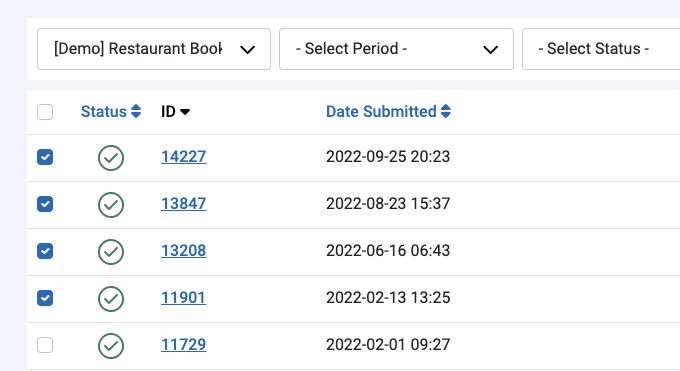
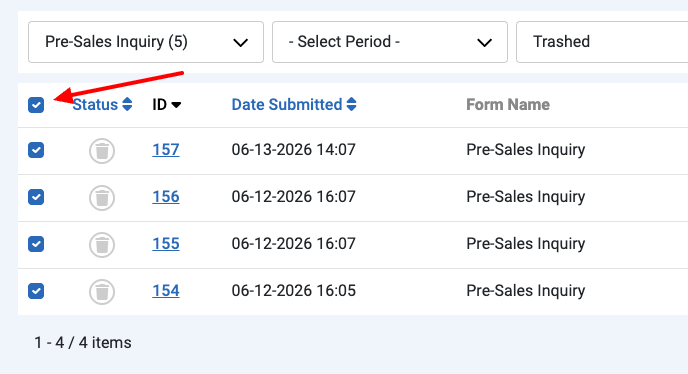
Tick the checkbox next to each submission you want to remove. To select everything on the page, use the checkbox in the column header. To find specific entries first, see Searching and Filtering Submissions.
-
Click the Actions button in the toolbar and choose Trash.
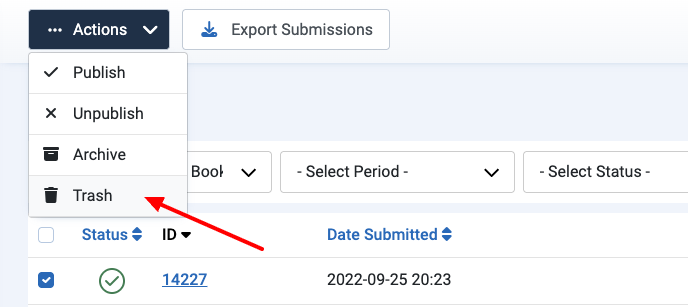
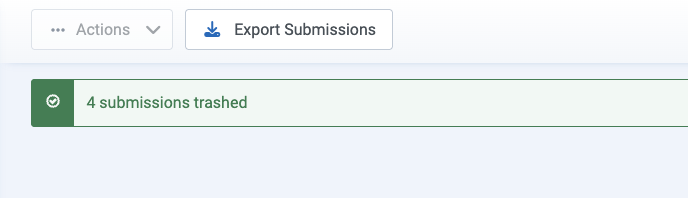
This only trashes the submissions; it doesn't delete them permanently. They're moved out of the default view but still recoverable until you empty the trash.
Restoring submissions from the trash
Changed your mind? As long as you haven't emptied the trash, you can pull trashed submissions back into your list.
- Set the Status filter to Trashed to see your trashed submissions.
- Tick the submissions you want to restore, or select all of them.
- Click the Actions button in the toolbar and choose Publish (or Unpublish) to move them back.
Permanently deleting submissions
Once submissions are in the trash, emptying it removes them from the database for good. Do this when you're certain you no longer need them.
-
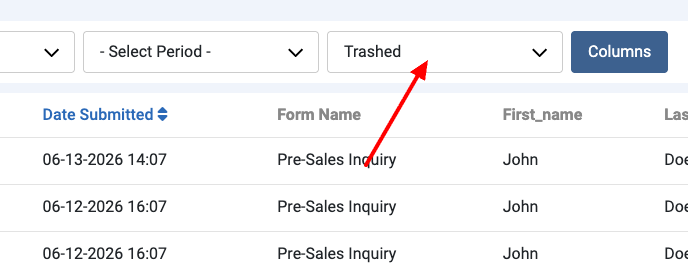
Set the Status filter to Trashed to see your trashed submissions.
-
Tick the submissions you want to delete, or select all of them.
-
Click Empty Trash in the toolbar and confirm.
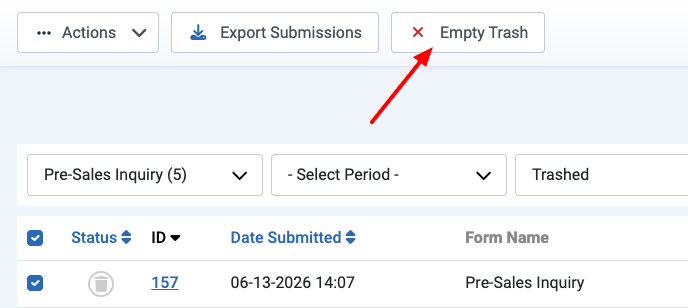
This step is permanent. Once you empty the trash, those submissions can't be recovered.
If you might need this data later, export your submissions before you empty the trash.
Deleting submissions directly from the database
For bulk cleanups, you can remove submissions straight from the database with an SQL query. This is faster than trashing rows by hand when you need to clear thousands of submissions at once. Back up your database before running any query, and replace the #__ prefix with your own table prefix. These queries only remove the database rows; any files uploaded through the form stay on disk, so clear those separately.
How to delete the submissions of a specific form
To delete every submission belonging to a particular form, run the following query and replace FORM_ID with your form's ID:
DELETE c, m
FROM `#__convertforms_conversions` AS c
LEFT JOIN `#__convertforms_submission_meta` AS m
  ON m.submission_id = c.id
WHERE c.form_id = FORM_ID;
How to delete all submissions and reset the counter
To wipe all submissions and reset the auto-increment counter back to 1, run the queries below. This erases every submission across all your forms and can't be undone, so back up first.
TRUNCATE `#__convertforms_conversions`;
ALTER TABLE `#__convertforms_conversions` AUTO_INCREMENT = 1;
TRUNCATE `#__convertforms_submission_meta`;
ALTER TABLE `#__convertforms_submission_meta` AUTO_INCREMENT = 1;
Deleting submissions automatically
If you want old submissions cleared on a schedule instead of by hand, Convert Forms can do it for you. See Auto-Delete Old Submissions.



 Rated: